How to Turn off Gemini Features in Google Apps?


Gemini is now part of most Google apps we use every day. From writing emails to searching for photos, AI tools are showing up everywhere. However, many users would rather use Google apps without these features. If you want a more traditional Google experience, you can turn off Gemini features manually in different apps. By turning off Gemini, they can keep full control and continue using Google apps the way they always have.
1. Turn Off Gemini in Google Photos
If you don’t want AI interacting with your photos, Google allows you to turn off Gemini features in Photos:
- Open the Photos app.
- Go to Settings using your profile icon.
- Tap Preferences and then Gemini features.
- Disable Use Gemini in Photos.
2. Avoid AI Overviews in Google Search
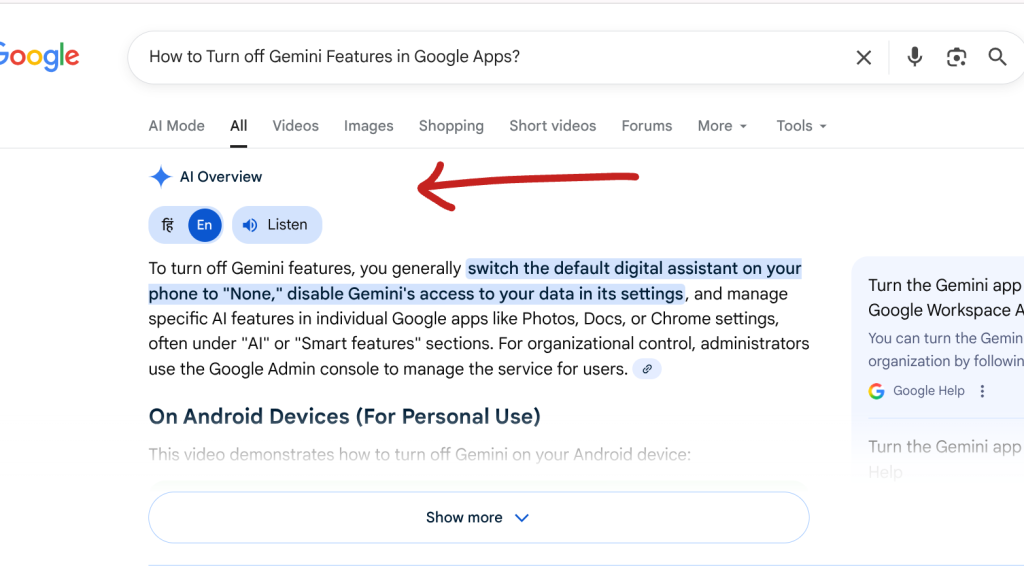
AI Overviews now appear at the top of many Google Search results, which some users find distracting. To avoid these AI summaries, you can add “-ai” to the end of your search term, and Google will show traditional search results without AI Overviews. This trick works on both mobile devices and desktop computers.
3. Disable Gemini Features in Google Chrome
Gemini features in Chrome can be disabled in just a few steps
- Open Google Chrome and go to Settings using the three-dot menu.
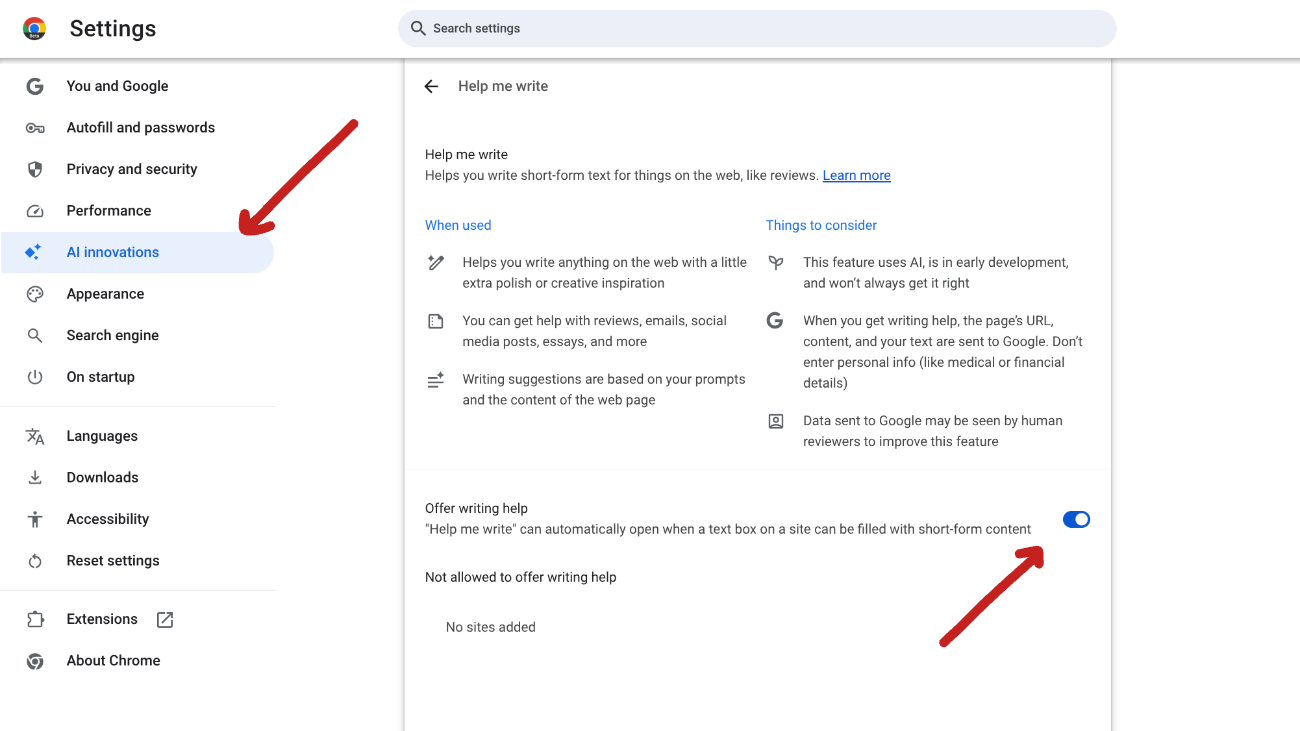
- Open AI innovations.
- Switch off History search, powered by AI.
- Turn off Help me write.
4. Turn Off Gemini in Drive, Docs, and Gmail
To remove Gemini features from Drive, Docs, and Gmail, follow these quick steps.
- Open Google Drive in your web browser.
- Click Settings from the gear icon.
- Go to Privacy.
- Choose the Manage Workspace smart feature settings.
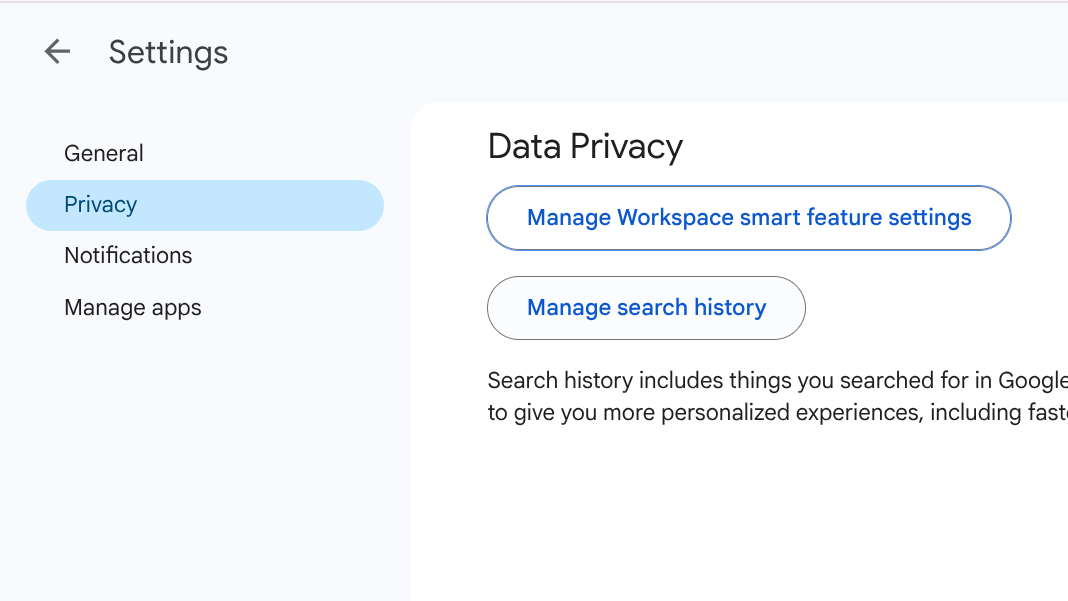
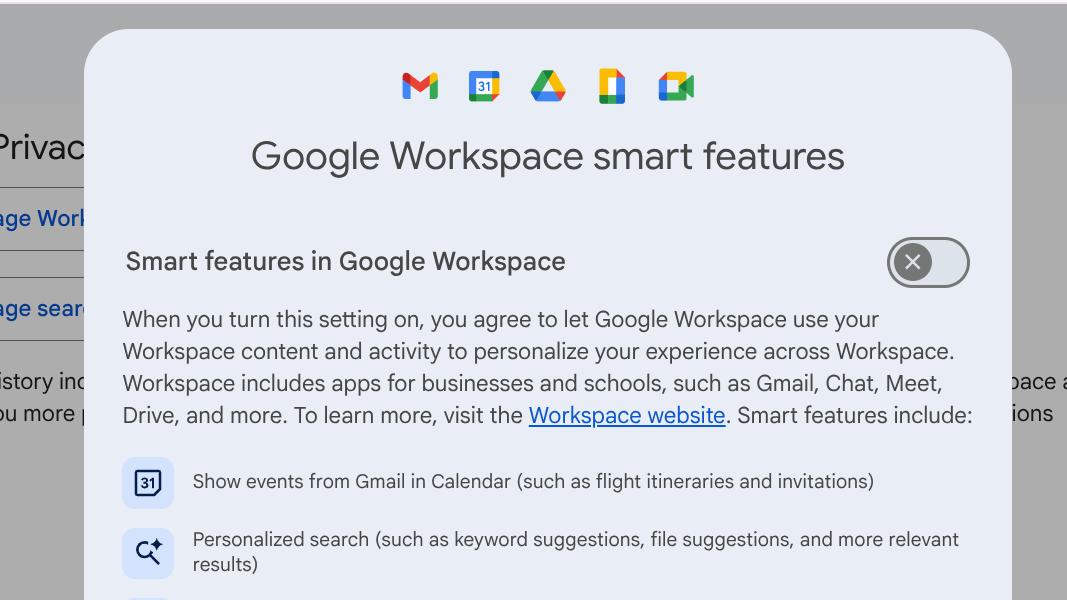
- Turn off Smart features in Google Workspace across Drive, Docs, and Gmail.
Google is adding Gemini to more apps, but users still have control. By changing a few settings, you can turn off these tools and keep your Google apps simple and familiar.