How to Switch Your X (Twitter) Account to Private or Public

Some people like to post openly on X, while others like their timeline limited to a small circle. Whether you want more privacy or prefer your posts to be viewable by all, X gives you full control over your account settings. Here’s how you can make your X account private or public, and what that will mean for your followers and your experience on the social networking site.
Make Your X Account Private on Desktop
If you want to control who sees your tweets, it’s very quick and easy to make your account private. Here’s how you do it:
- Go to X.com using your computer and then log in to your account.
- Open the Settings menu from your account options.
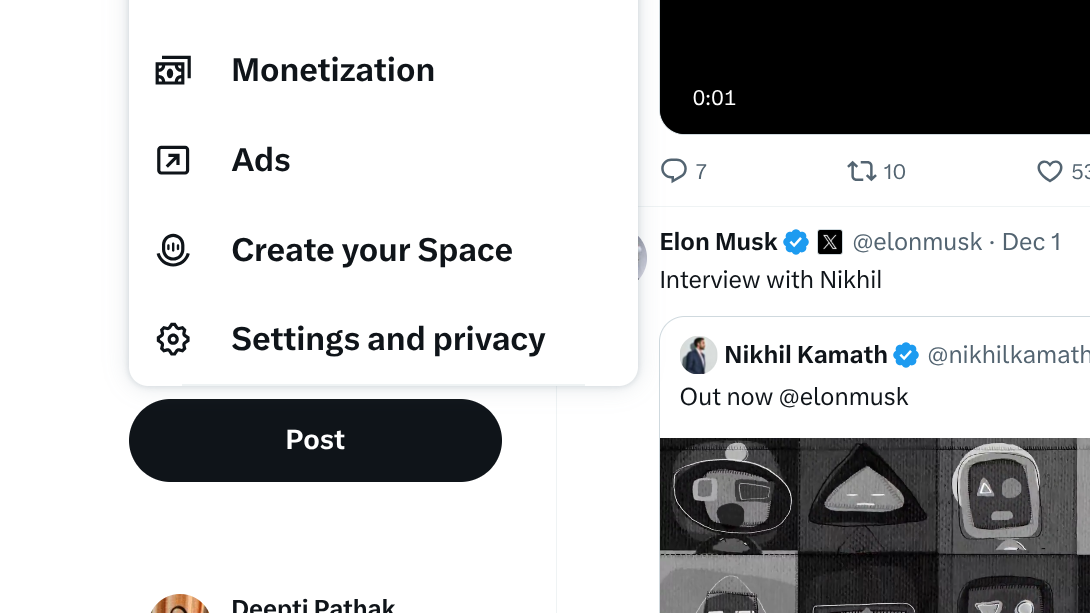
- Look for the Privacy and Safety tab.
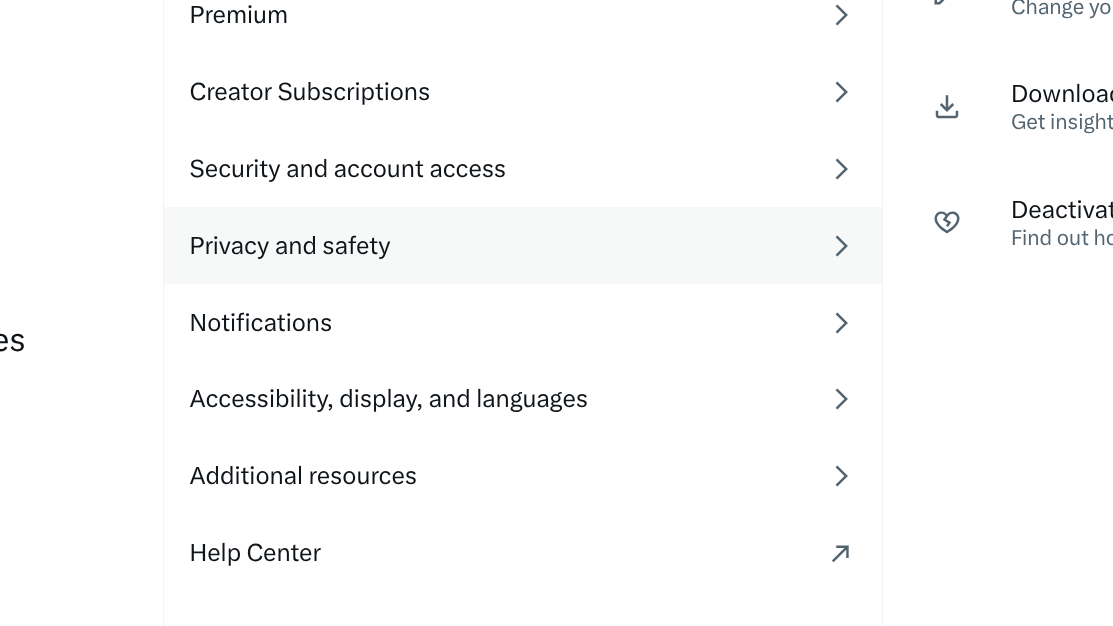
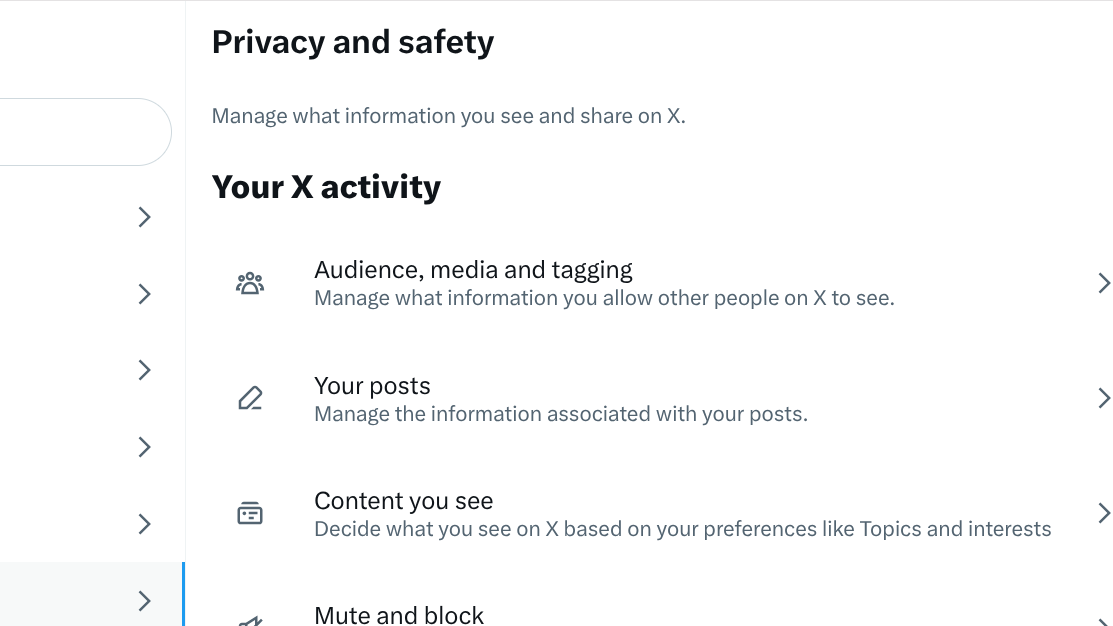
- Select audience, media, and tagging.
- Turn on the option that protects your posts.
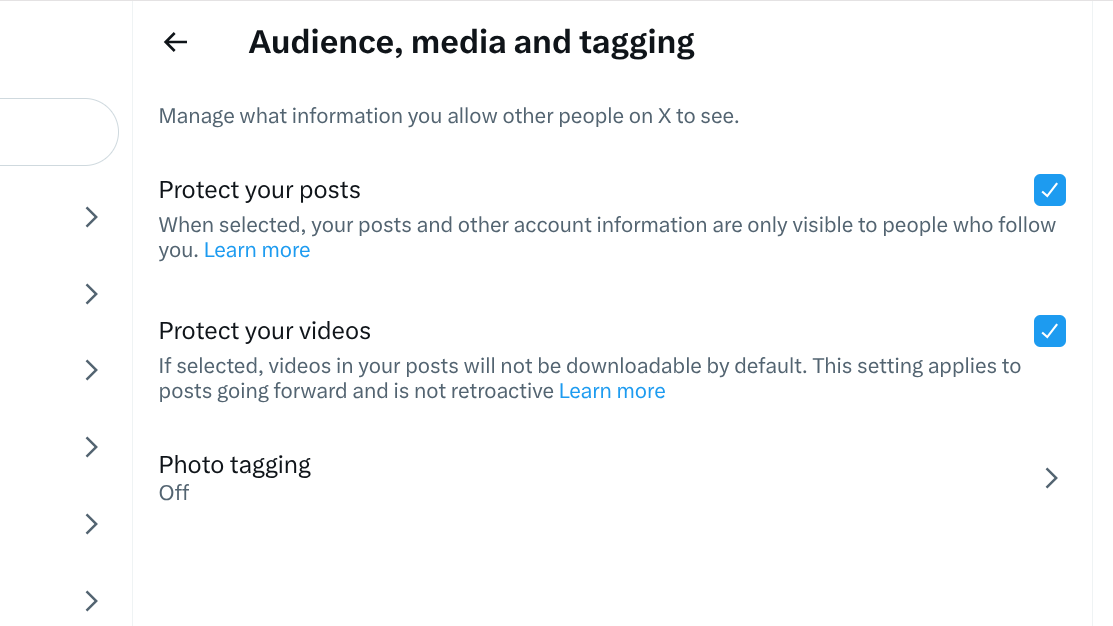
- Once enabled, only approved followers can view your future tweets.
Change Your X Account to Public
If you want your tweets to be visible to everyone again, switching back to public mode is just as easy. Here’s how:
- Open the same Settings menu you used earlier.
- Go to Privacy and Safety and select audience, media, and tagging.
- Turn off the privacy toggle.
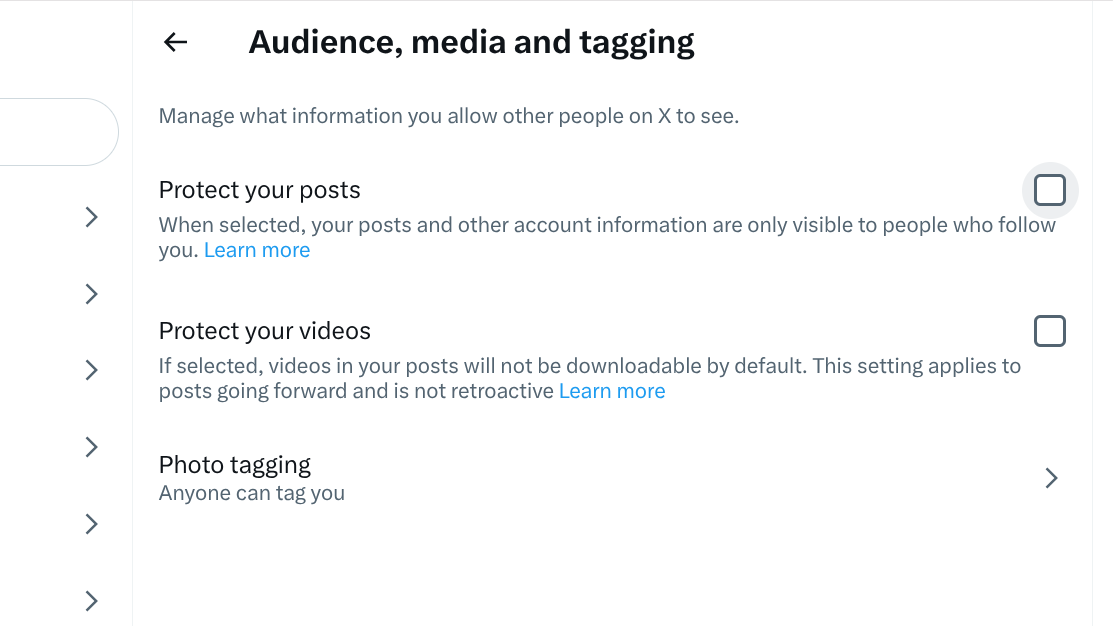
- Your older tweets will instantly become visible to all users.
- Once switched off, all your past tweets appear publicly again.
- Anyone can follow you without sending a request.
What happens when your account is private or public?
If your X account is private, only people that you approve can see your posts, and your tweets don’t appear in search results. Others won’t be able to retweet your content. Flip to a public account, and your profile opens up completely: anyone can view your posts, they appear in search and recommendations, and new users can follow you right away.
Private vs Public: Which Should You Choose?
It all comes down to your feelings about privacy versus reach. Go private if you want posts limited to a controlled list of followers. If you’re trying to reach a wider audience or striving for visibility, go public. And since X allows you to switch anytime, you can adjust your settings whenever you need more privacy or reach.