How To Copy Instagram Comments on iPhone, Android & Desktop?


If you’ve ever tried copying a comment on Instagram using the mobile app, you already know it doesn’t work. Instagram simply doesn’t allow users to select and copy comments on its Android or iOS apps. That said, there are a few reliable workarounds that let you copy Instagram comments using built-in tools on your phone or computer. In this guide, we’ll walk you through how to copy Instagram comments on Android phones, iPhones, Pixel devices, and desktop browsers.
Copy Instagram Comments On Android
Android phones make it easy to copy Instagram comments using the text detection feature in the Google Photos app.
- Open the Instagram app and find the comment you want to copy.
- Take a screenshot of the comment.

- Open the screenshot in the Google Photos app.
- Tap Copy text or Lens at the bottom of the screen.
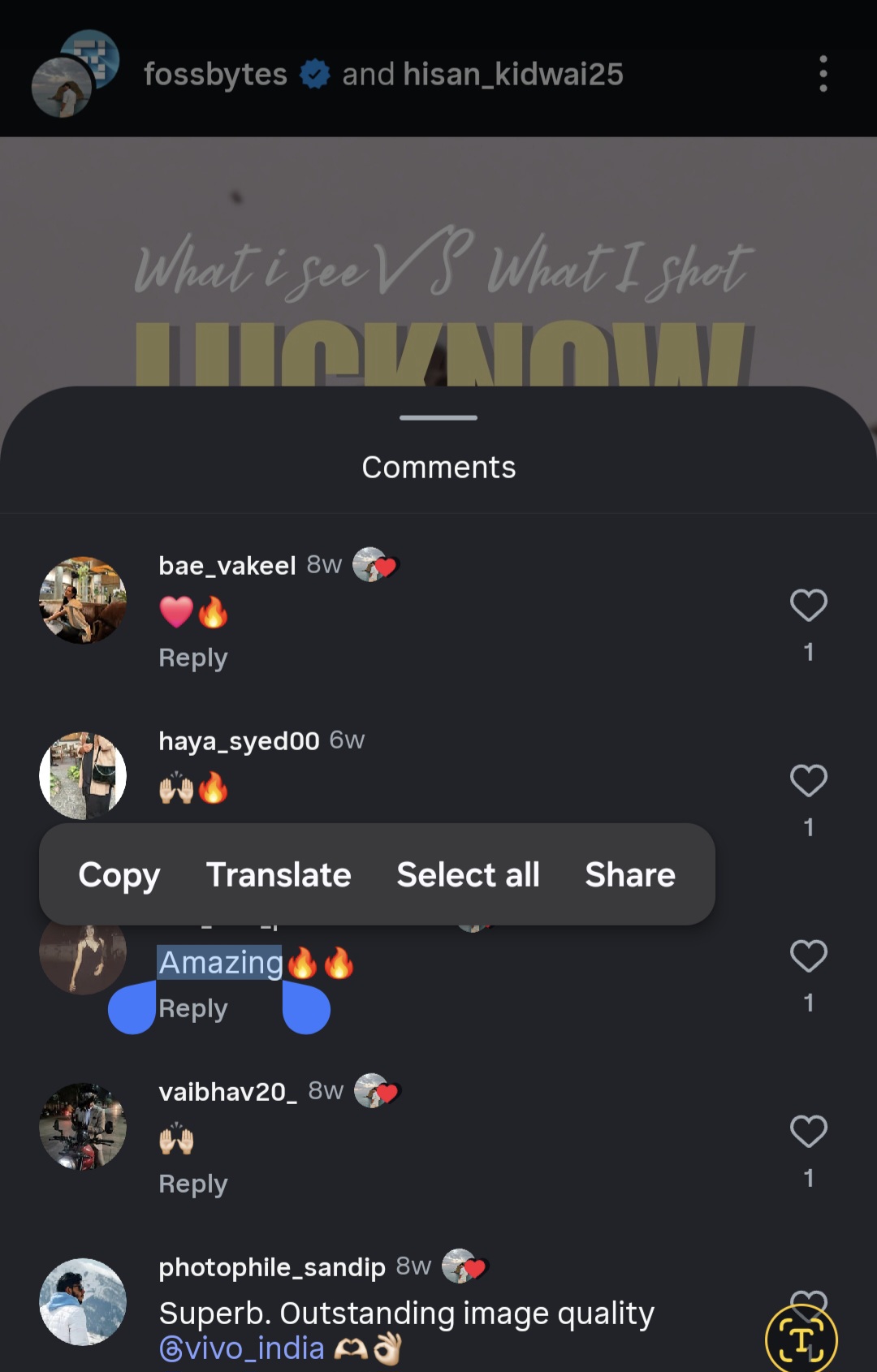
- Select the comment text and tap Copy.
Copy Instagram Comments On iPhone
Although Instagram does not allow copying comments, iPhone users can use the Photos app to copy text from a screenshot.
- Open Instagram and locate the comment that you want to copy.
- Capture a screenshot by pressing the Power and Volume Down buttons simultaneously.
- Open the screenshot in the Photos app.
- Tap and hold on the text of the comment until it becomes selectable.
- Select the text and tap Copy.
Copy Comments on Desktop
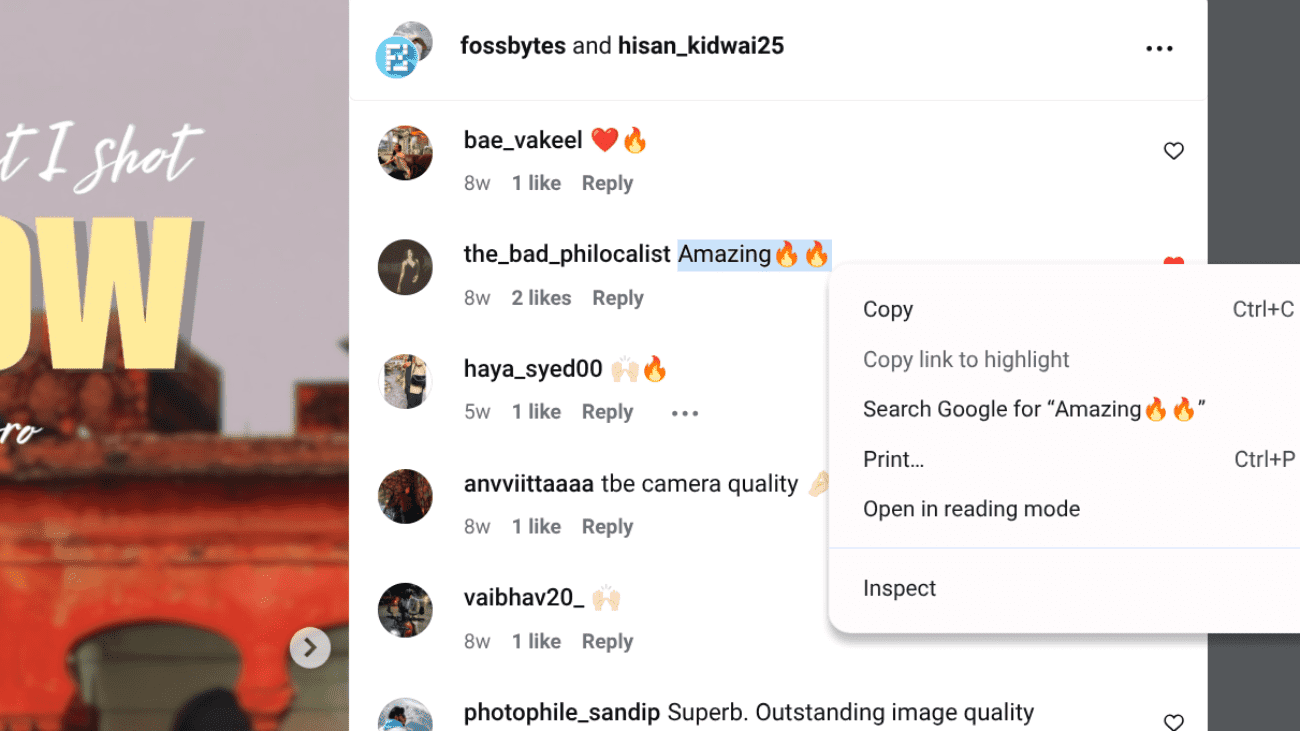
Instagram’s desktop version does not restrict text selection, making it the easiest way to copy comments.
- Visit Instagram on your preferred web browser.
- Sign in and open the required post.
- Click and drag to select the comment text.
- Copy it using right-click or keyboard commands.
Copy Comments on Pixel Phones
Pixel phones enable you to copy Instagram comments from the recent apps screen without taking a screenshot.
- Open Instagram and keep the comment visible on screen.
- Swipe up and hold to open the Recent Apps menu.
- Tap and hold the comment text.
- Select the text and tap Copy.
FAQs
Yes, using the phone functions to take screenshots and copy text is entirely safe.
You can only copy comments from private accounts if you are permitted to view the post.
No, the text in Instagram Stories cannot be copied in this way.