Vmake Review: The Ultimate Video Watermark Remover and Quality Enhancer for Content Creators

Now, in the fast-paced digital era, content quality is more valuable than ever. And so the creators always look for tools that will assist the editing process without adding to the expenses of the outcomes. Vmake intervenes here in the form of an all-in-one AI-powered software that helps eliminate watermarks, sharpen images, and optimize videos in a professional way.
This review examines the best features of Vmake and the way it enables those who create videos to improve the process. Let’s explore what makes Vmake the easiest video editor ever, no matter what you are on social media, a marketer, or a video enthusiast.
What Is Vmake?
Vmake is a powerful video editing software online, which offers a collection of smart AI features to facilitate content generation. Vmake applies machine learning technologies to remove watermarks and increase the resolution of videos, as well as automatically delete backgrounds to provide fast and precise results. It is aimed at creators who require effective and easy-to-use tools without the knowledge of higher-order editing or costly programs.
Vmake enables users (both non-experts and experts) to use its simple interface and auto-handling system to accomplish complicated tasks, such as frame-by-frame editing or manual masking. To explore more about all the Vmake tools, you may visit the official site vmake.ai.
Vmake Feature 1: Video Watermark Remover
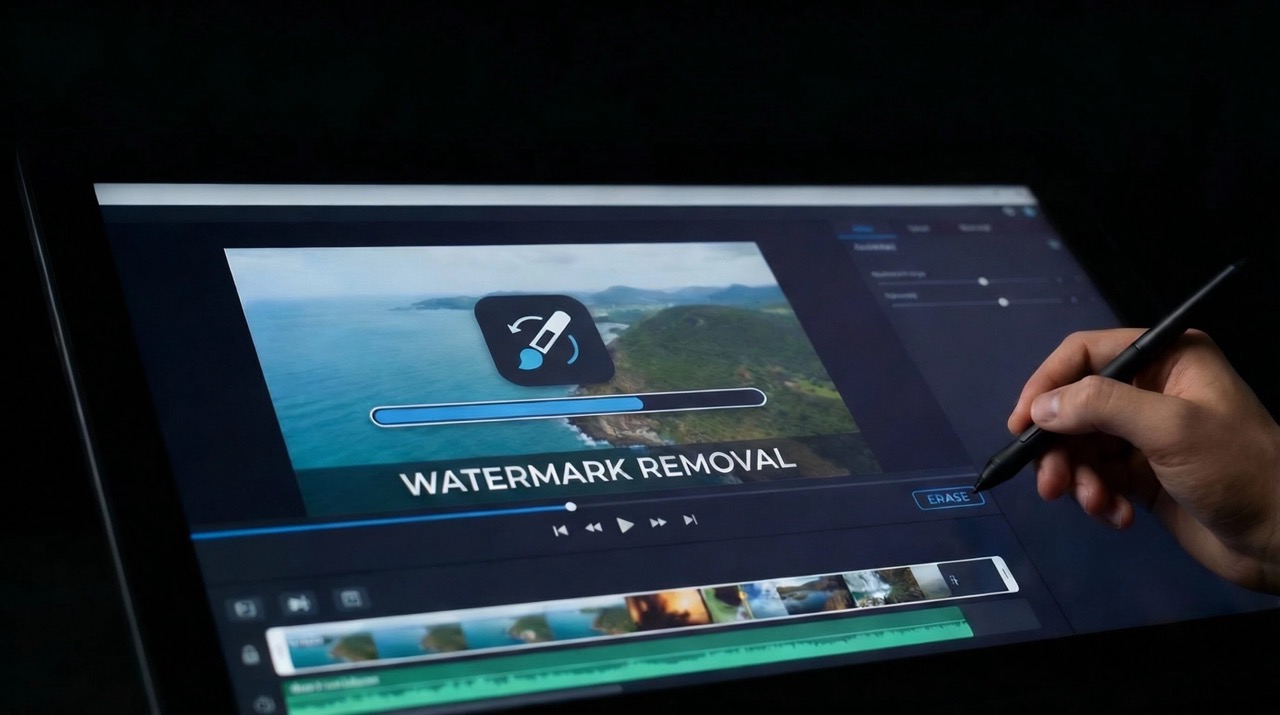
The Vmake Video Watermark Remover is one of the most liked features Vmake offers, and it aims to remove the unnecessary logos, text, or branding of the video without compromising the original quality of the video. Vmake is not based on manual cropping or blurring, which can cause distorted visuals, but the AI is intelligent, and it can rebuild the covered area by analyzing the frames. This offers creators clean and watermark-free content that can be reused, repurposed, or distributed.
How to Use the Watermark Remover
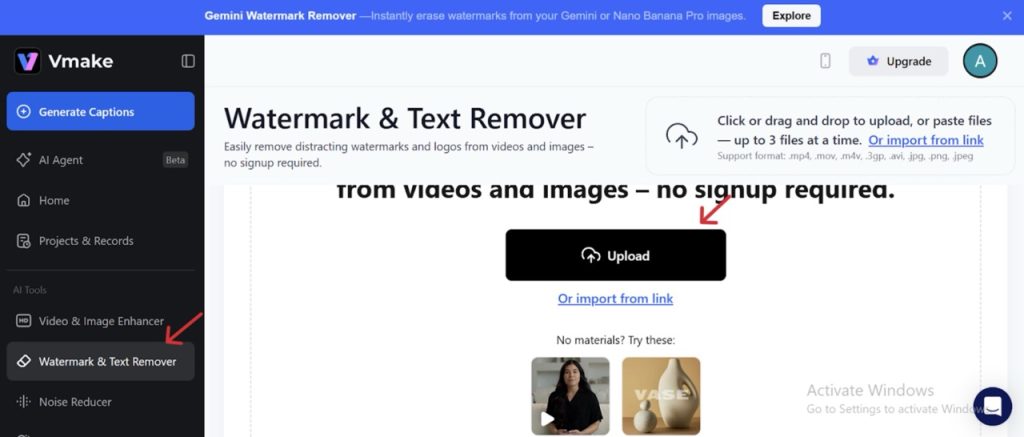
Step 1: Navigate to Watermark Remover
Visit vmake.ai and navigate to the “watermark & text remover” tab on the screen.
Step 1: Upload Your Video
Upload the video containing the watermark.
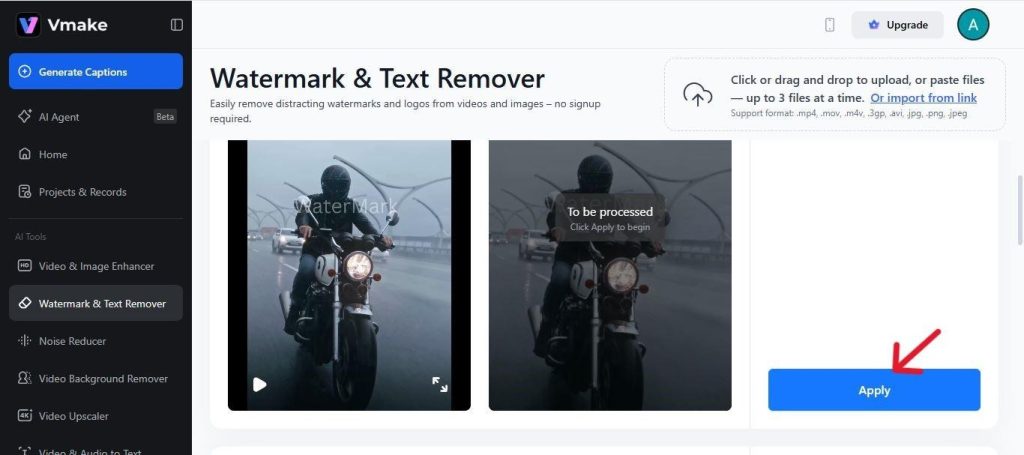
Step 3: Process the Video
Click apply and let the AI analyze each frame. The system reconstructs the background behind the watermark using contextual information extracted from surrounding pixels.
Step 4: Download the Result
Preview the output. If everything looks smooth and natural, download the watermark-free video in your preferred resolution.
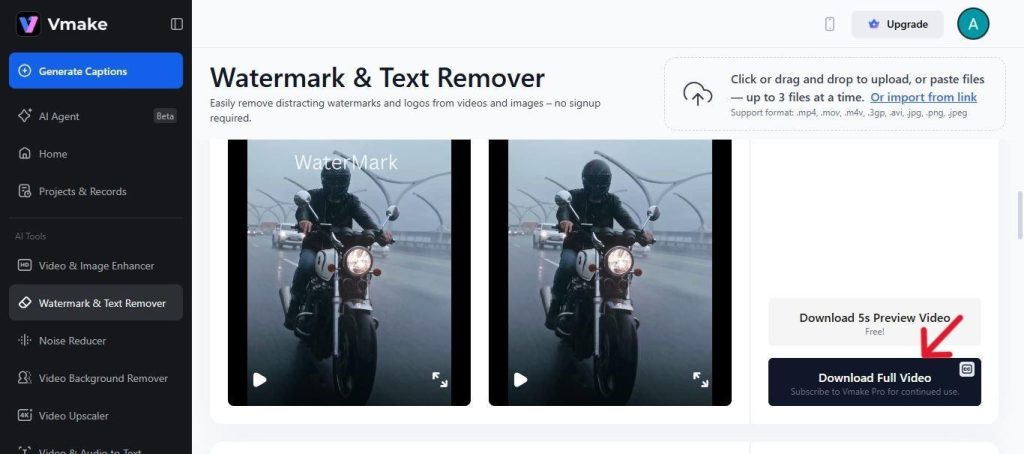
The smart reconstruction of Vmake makes it stand out from the common editors that use blur filters. The outcome is a more refined, polished end product that appears natural and professional.
Vmake Feature 2: Video Background Remover
Video Background Remover is an advanced segmentation technology that can automatically segment the subject and background of an image. This is the perfect tool to use when the creator is making product videos, social media reels, or professional presentations, and they want to have a clean studio-style background. Vmake is an AI that can detect the subject and mask it in just a few seconds with a high level of accuracy when instead of spending hours manually masking the subject.
How to Use the Background Remover
Step 1: Upload Your Video
Choose the “Background Remover” tool on vmake.ai and upload your clip.
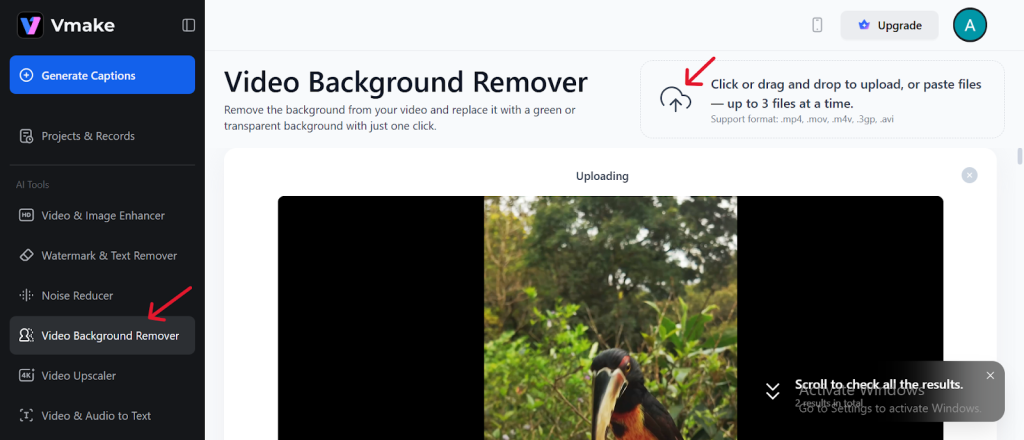
Step 2: Choose a New Background
You can replace the background with a green color or transparent and click the apply button.
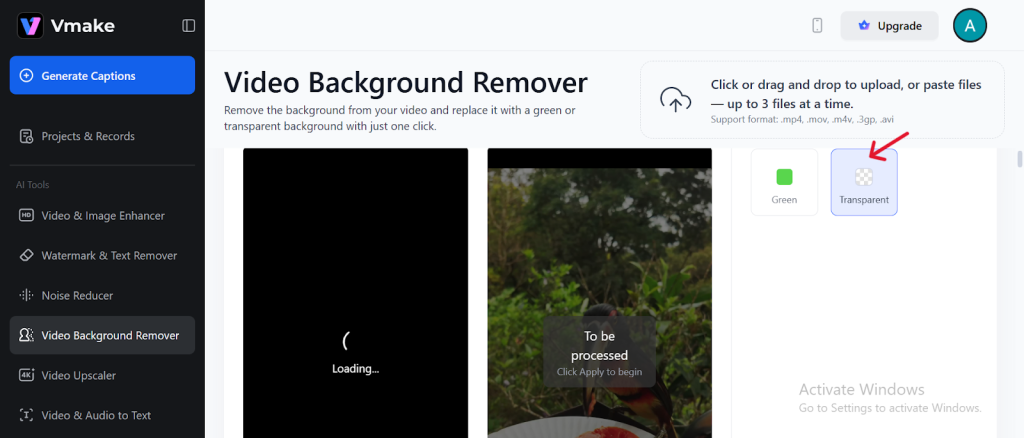
Step 3: Download Your Edited Video
After the satisfaction, the video can be exported to use in presentations, social content, or even promotions.
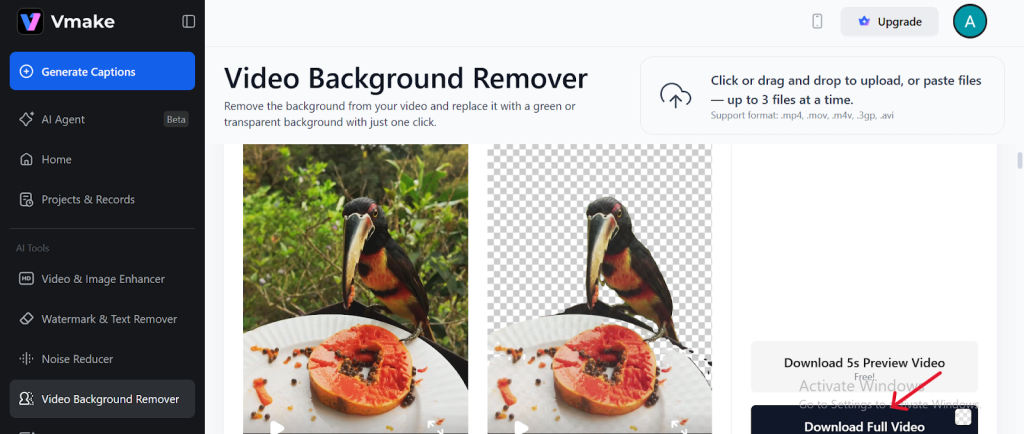
The automated Vmake background removal offers sharp edges and motion detection smoothness, which would be ideal for both amateur and professional creators.
Vmake Feature 3: Video Quality Enhancer
A frequent issue faced by creators is low-resolution footage, particularly when obtaining videos on devices and platforms older than the last century or when using social sites that compress videos. Vmake video quality enhancer can eliminate this problem by using AI algorithms to upscale, sharpen, and bring clarity. Color enhancement and detail enhancement. This feature is a visual quality enhancement of your video, and this does not need fancy editing skills.
How to Use the Quality Enhancer
Step 1: Upload Your Low-Quality Video
Go to the “Video & Image Enhancer” section and upload the video you want to improve.
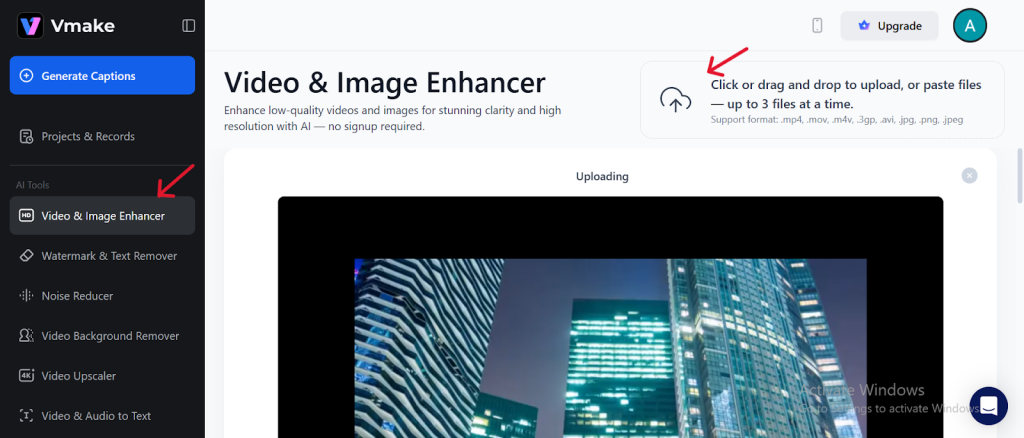
Step 2: Process Video
Click the Apply Button.
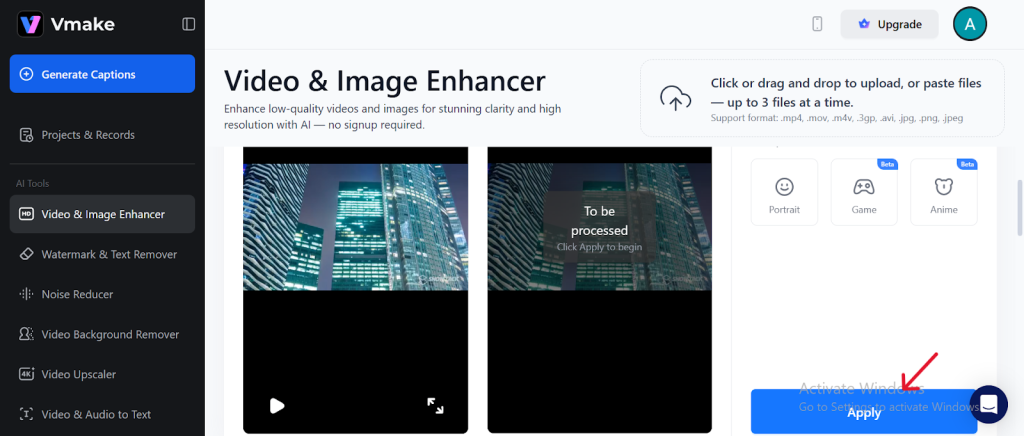
Step 3: Preview & Download
After processing, preview your enhanced video. If satisfied, download in your preferred resolution.
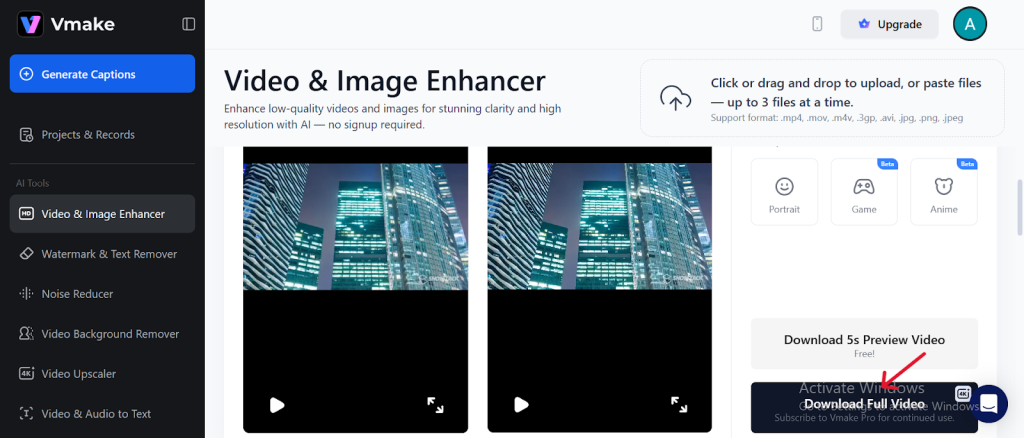
This utility is especially handy in the presence of old videos, poor-quality phone shots, and videos taken in a dark environment. One of the most outstanding features of Vmake is the AI capacity to enlarge images, preserving their natural details.
Why Choose Vmake?
In addition to advanced video editing tools, Vmake is a complete platform with the main idea of providing ease of use and quality output. Its features, powered by AI, require no complex software and no steep learning curves, and it is the best choice for creators who desire a quick workflow and professional results.
The following are some of the main reasons why Vmake stands out:
- User-Friendly Interface: The interface is user-friendly and allows one to edit with ease, whether they are a beginner or an expert.
- Fast AI Processing: Videos are improved or purified in a few minutes, which is essential to spend a precious production moment.
- No Software Installation: It is all conducted online, and you can edit it on any device.
- High-Quality Output: AI provides natural-like results that are detailed in all the tools.
- Versatile Toolkit: From watermark removal to background editing and quality enhancement, Vmake offers multiple solutions in one platform.
Conclusion
Vmake is a strong, AI-optimized tool that anyone can use to improve video material by spending hours in manual editing. Its most significant capabilities, particularly the Video Watermark Remover, Background Remover, and the Video Quality Enhancer, give creators the possibility to refine, rehabilitate, and change footage through a few simple clicks. The interface is quite straightforward and friendly to those who are new to the platform, though at the same time, it has the accuracy and performance that a professional would require.
Regardless of the purpose of repurposing old clips, creating social media posts, or creating brand visuals, Vmake is a dependable, high-end workflow that will save time and create more creativity. Vmake has been an indispensable ally of the contemporary content creators thanks to its combination of speed, accuracy, and convenient design. Learn more about Vmake and begin to improve your videos now at vmake.ai.